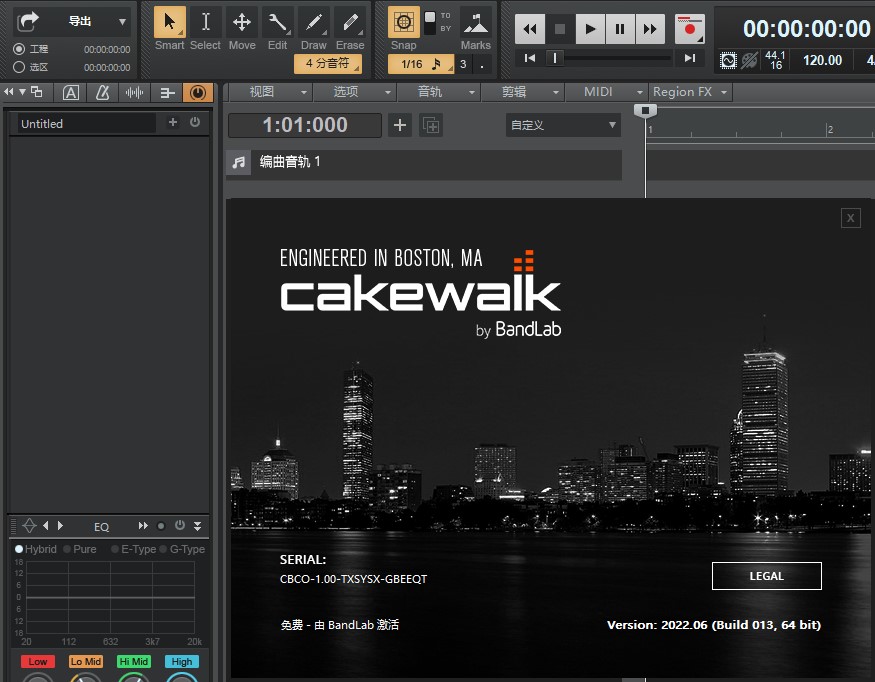
[Sonar] Cakewalk_by_BandLab_Update_Setup_28.06.0.013

[复制链接]

[Sonar] Cakewalk_by_BandLab_Update_Setup_28.06.0.013[复制链接]

电脑音乐 发表于 2022-6-9 17:07:40 [显示全部楼层] 回帖奖励 |倒序浏览 |阅读模式 回复:  2 浏览:  675
这次升级主要升级了外置控制器界面,添加支持米琪控制的设备会更加方便。
8.jpg


Bug Fixes in Update 1 (build 28.02.0.039)
Crash when drag/copy Arranger section in empty project.
Last and only articulation map cannot be deleted within Articulation Map Editor.
Unused articulation maps in Articulation Map Editor aren't being saved.
Plug-ins are being restarted after freezing track.
Folder names incorrect when loading track template with nested folders.
Pitch Wheel displays value as 0-127 in Piano Roll view.
'S' shortcut for split not working on MIDI clips.
[Export Audio dialog] Mix and Render categories should not be disabled for Clips/Tracks export.
Audio Export: ID3 info only working for first track when using 'Use These Settings for All'.
Bounce to Tracks ignores clip gain after reselecting clip if 'Display Ghosted Data' is disabled.
Drag/drop operations in the Arranger Inspector stop working after switching from the Tempo Inspector.
Enhancements
[Export Audio dialog] The last used custom export path now persists with the project.
[Export Audio dialog] CTRL+click the file path button to reset path to the default.
You can now optionally specify if track folders should automatically expand when moving a track into them. To do so, click the Track view 'Options' menu and select 'Expand Folder after Moving to Folder'.
The following new path has been added to the default VST scan locations: %LOCALAPPDATA%/Programs/Common/VST3/. This path is recommended as part of the VST3 specification in order to facilitate using plug-ins on systems without Admin rights as well as to support multiple users on the same PC.
'Mute [UnMute] all tracks', 'Solo [UnSolo] all tracks', and 'Arm [UnArm] all tracks' can now be assigned to keyboard shortcuts in Edit > Preferences > Customization - Keyboard Shortcuts.
Bug Fixes
Crash when Paste Special into existing clips using MIDI clips on empty track
Crash when saving track template with multiple subfolders
Crash when importing track template with invalid folder hierarchy
Melodyne crashes after copying clip
When doing an Entire Mix export with a selection range, the selection range is being ignored when calculating the estimated file size
Track folders that only contain subfolders do not display correctly
Export Path changes unexpectedly after save
Open Export Folder opens incorrect folder after saving project
Folder +/- incorrect after drag move to folder
Track templates do not save folder hierarchy unless there is a track at each level
Track template inserts incorrectly when inserted from track within folder
Cannot use shelf tool to drag to max if folder is above current track
Insert Instrument missing from folder context menu
Drag drop tracks/folders should force a left drag gesture when dragging under a collapsed folder
Recording over top of Melodyne clip does not display correct clip in comp track
Browser fails to show categories with non-alphanumeric characters
What's New link in toast notifications should not close toast
Articulation description not shown in Event List view if it's too long
Replace Synth should show the synth plug-in UI
Delete Track/Bus menu items should be grayed out from Console view context menus during record
Arrangement preview should be blocked when recording
Solo button grouping not working with Simple Instrument Tracks
Unable to change outputs for multiple instrument tracks with quick group
Multichannel PCM Wave Files fail to import in projects with different sample rates
Dragging in a track template without an open project results in corrupt project
Mono sends are not retained when reopening project
Remove Silence removes clip name
'Cannot Read File' error when importing user MIDI files with bad track counts
Ripple Edit All does not work as expected with Meter/Key changes
Event Inspector can cause clip to move when aborting start time edit
Gluing MIDI notes with concurrent controllers selected deletes the controllers
MIDI Sysx saved as bank, ignoring settings
[REGRESSION] Tab to Notes in Piano Roll view stops working after Set Measure/Beat At Now
Delete Hole fails to ripple Tempo Track if not explicitly selected
Aux Track not dimmed with dim solo
Editing project while waveforms being built causes process to restart
VST3 bus activation sequence in Cakewalk causes side effects in certain JUCE plugins
ProChannel PC76 fails to load UI in user project
Plug-in automation node not read correctly during loop in user project
Initial/Reset VST sandbox scans fail to populate menus and shows zero plug-ins scanned
ARA capable plugins fail to work properly when inserted via an FX Rack


回复

使用道具 举报

电脑音乐
 楼主|
发表于 2022-6-9 17:08:30 显示全部楼层
Cakewalk_by_BandLab_Update_Setup_28.06.0.013.rar (47.39 MB, 下载次数: 150)
回复

使用道具 举报

电脑音乐
 楼主|
发表于 2022-6-10 17:35:54 显示全部楼层
更新到 28.06.0.013
此版本包含以下其他改进:
  • 呈现区域 FX 键绑定在英文版中不可用。
  • 在 Mackie 控件表面对话框中未调用 Cubase 模式。
  • 搁板工具不适用于同一通道中的多个剪辑。
  • 尝试在项目中拖动移动范围选择时为空指针。
  • 在用户项目中拖动复制部分后擦除的速度轨道。
  • 用户项目中提交排列开始时的节奏不正确。
  • 使用非美式键盘时,无法为标记输入“+”字符。
麦基控制表面改进
Mackie 控件图面包括几项新的增强功能。
新的兼容模式
除了推荐的 Cakewalk/SONAR 模式之外,Mackie 控制图面现在还支持两种额外的仿真模式,如果您的控制图面未提供专用的 Cakewalk/SONAR 模式,则可以使用这些模式:
  • 麦基控制通用(通用模式)。模拟 Mackie 的默认按钮布局。
  • 麦基控制通用(古巴模式)。模拟 Mackie 的 Cubase/Nuendo 按钮布局。
请务必将 Cakewalk 和控制图面配置为使用相同的模式,以确保控制图面上的按钮映射到 Cakewalk 中的正确功能。
注意:如果您的控制图面提供 Cakewalk/SONAR 模式,我们建议您使用此模式以提供最大的兼容性。
禁用握手现在默认选中
Mackie 控制协议的早期版本需要在控制图面初始化期间握手。Mackie在以后的版本中删除了此要求。
为了反映此更改,现在默认选中“禁用握手”选项以绕过握手过程。
注意:使用 Cakewalk/SONAR 模式时,您可能需要取消选中在较旧的设备上禁用握手。
性能增强
路由和轨道/总线排序现在在内部缓存,以避免在控制面刷新过程中进行不必要的重复计算。这样可以在使用非常快的刷新率时提高 UI 性能。
每次路由或跟踪顺序更改时,都会重置缓存,然后在控制图面的下一个查询上再次重新生成缓存。
在组合模式下循环录制时自动延长最终拍摄时间
当循环记录处于压缩模式时,如果记录了多个循环迭代,则最后一次拍摄现在会自动延长到循环结束时间。这可以防止在运输停止时拆分以前的拍摄,并使压缩更容易,因为每个拍摄都是一个完整的剪辑。
注意:如果在 Comping 模式下循环录制,并且还启用了自动打孔将拍摄延长到打孔时间,则最后一次拍摄将扩展到首先发生的任何时间:循环结束或打孔时间。
旧行为(不完整的上次拍摄和拆分剪辑):
新行为(完成最后一次拍摄且无拆分剪辑):
可选择在打孔录制时自动延长最终拍摄时间
当自动打卡录制时,Cakewalk会自动在您停止录制的位置拆分所有镜头。如果在打卡时间之前停止传输,则会发生这种情况。
在某些情况下,此行为可能不可取,例如在速度组合时,您希望每个镜头都是一个完整的剪辑。
为了防止这种行为,Cakewalk现在提供了一个选项,用于将最终拍摄扩展到自动打孔端。右键单击“录制”按钮以打开“首选项”对话框,然后启用“将拍摄延长到打孔时间”。
注意:“延长到打孔时间”选项还要求启用“自动打孔”。
更改轨道焦点时打开父轨道文件夹的选项
“轨迹视图选项”菜单包含一个新的“在轨迹焦点上展开轨迹文件夹”选项,如果当前已关闭,该选项会自动打开焦点轨迹的父文件夹。当使用控制图面或通过控制台视图更改轨道焦点时,此行为可能是可取的。
用于呈现区域 FX 的键绑定
名为“渲染区域 FX”的新键绑定允许您为当前剪辑选择中的任何活动区域 FX 呈现任何区域 FX。您可以在“编辑>首选项”>“自定义 - 键盘快捷键”(在“区域:全局绑定”下)中指定键绑定。
支持本地帮助
Cakewalk提供可选的本地帮助。要启用本地帮助,请转到编辑>首选项>文件 - 高级,然后选择始终使用本地帮助。
首次启用本地帮助时,Cakewalk 会显示一个 Toast 通知,用于下载和安装本地帮助,并且每当有更新的本地帮助可用时。
如果您的计算机未连接到互联网,Cakewalk将默认显示本地帮助,直到互联网连接可用。
注意:离线帮助仅提供英文版。
提示:如果要在从未连接到 Internet 的计算机上使用本地帮助,请先从连接到 Internet 的另一台计算机下载本地帮助,然后将 CakewalkHelp_Documentation_1.0.0.n.exe 安装程序(可在 DownloadsCakewalk 中找到)复制到可移动媒体,您可以将该媒体传输到脱机 Cakewalk 计算机。或者,从 Cakewalk 根文件夹中复制已安装的 Cakewalk.chm 文件(默认为 Program FilesCakewalkCakewalk Core)。

回复

使用道具 举报

您需要登录后才可以回帖 登录 | 立即注册

本版积分规则

1
QQ